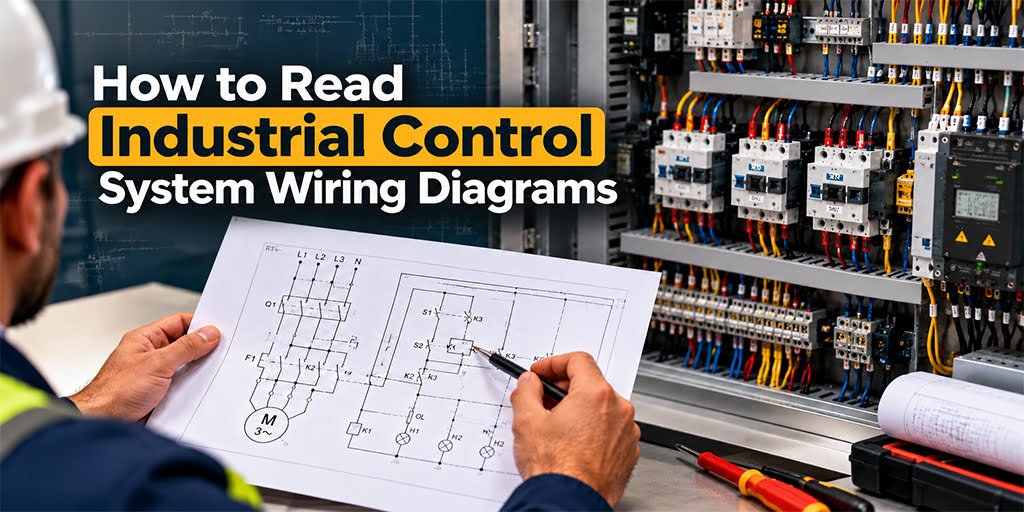
An industrial control system wiring diagram shows how PLCs, sensors, relays, contactors, power supplies, and field devices connect in an automated machine or control panel. These diagrams help technicians follow signal paths, identify terminal locations, inspect installations, and find electrical faults.
To read a PLC wiring diagram properly, you need to start with the drawing legend and revision. Start by identifying the power and control circuits, then follow each conductor to determine where it connects and what component it serves. You must also understand the difference between the electrical connections shown in the drawing and the logic programmed into the PLC.
This guide explains how to read PLC wiring diagrams using a practical proximity sensor example. It also highlights common wiring diagram errors and essential checks before troubleshooting industrial equipment.
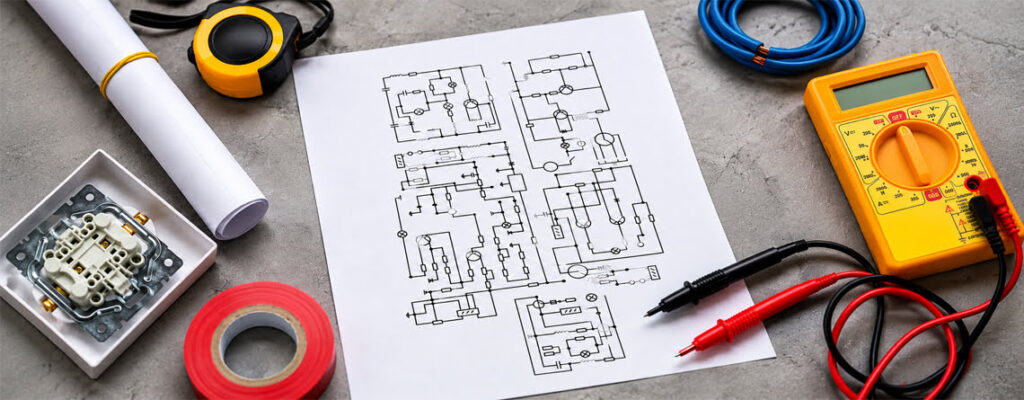
What Does an Industrial Wiring Diagram Show?
A wiring diagram shows physical electrical connections, while a schematic explains how a circuit operates. Both diagrams give technicians a clearer understanding of control panel wiring and help them maintain industrial automation systems.
IEC 60204-1 covers the electrical equipment of machinery, including requirements related to control circuits and electrical protective measures. Always refer to approved drawings, manufacturer documentation, and relevant safety requirements before carrying out electrical work.
Key Components in Industrial Wiring Diagrams
Industrial electrical schematics include:
- PLC: Processes input signals and updates outputs according to programmed logic.
- Industrial sensors: Identify objects and monitor process conditions, including pressure and temperature.
- Power supplies: Provide the required voltage to compatible control devices.
- Terminal blocks: Organize field wiring and panel connections.
- Protective devices: Fuses, circuit breakers, and overload protection devices reduce the risk of equipment damage when correctly selected and installed.
- Wire identifiers and cross-references: Help trace connections between terminals, components, and drawing pages.
- Digital and analog I/O modules: Handle discrete input/output signals and continuous signals within their specified electrical limits.
- Grounding and protective bonding: Protective earth connections and any other documented bonding arrangements should be identified separately from the normal signal conductors.
- Drawing references and device tags: Component designations, page references, terminal identifiers, and cross-references all serve to link the information together across the various drawings.
Recognizing component symbols, reference numbers, and their functions helps technicians read and troubleshoot industrial electrical schematics more effectively.
How to Read and Interpret PLC Electrical Schematics
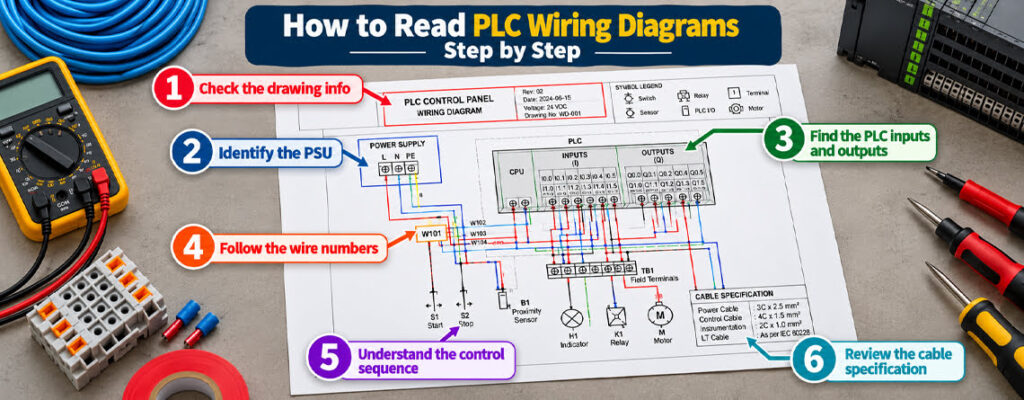
Reading electrical schematics for automation involves tracing connections between the power supply, PLC, sensors, and field devices. Follow these steps to read PLC wiring diagrams correctly and understand how an industrial control system is connected.
Step 1: Check the drawing information
Review the drawing title, revision number, operating voltage, and symbol legend. Always confirm that you are using the latest approved drawing before tracing connections or troubleshooting equipment.
Step 2: Identify the power supply
Locate the power supply unit (PSU) and identify the incoming power connections. Determine which sections represent the power circuits and which represent the control circuits. Follow the documented connections rather than assuming the system uses a standard wiring arrangement.
Step 3: Locate the PLC inputs and outputs
Identify the PLC input and output terminals on the drawing. Inputs receive signals from sensors and switches, while outputs control indicators, relays, contactors, and other devices. Confirm terminal assignments, signal types, and polarity by consulting the manufacturer’s module documentation.
Step 4: Trace the wire numbers
Follow the wire numbers across terminal blocks, component references, and drawing cross-references. This allows you to trace each conductor and understand how the electrical components are interconnected.
Step 5: Understand the control sequence
Determine how an input signal affects the PLC program and how the programmed logic controls the corresponding output. The electrical schematic shows the connections, whereas the PLC program defines the actions the controller performs in response to input conditions.
Step 6: Review the cable specifications
Check the specified cable types and their intended applications. These may include control cables, instrumentation cables, copper wires and cables, or LT cables. Confirm that the selected cables meet the system’s electrical requirements and the approved design specifications.
Recommended reading: “How to Read Electrical Schematics and Wiring Diagrams Easily”.
Practical Example: Reading a PLC Sensor Circuit
Consider an industrial conveyor system that uses a proximity sensor to detect products moving along the line. You can use this example to understand how to trace connections through PLC wiring diagrams.
- Check the drawing info: Locate the proximity sensor symbol and identify its component reference on the drawing.
- Trace sensor wiring: Follow the conductors from each sensor to the terminal blocks and their corresponding PLC input terminals.
- Verify electrical compatibility: Compare the sensor voltage, polarity, output type, and PLC input specifications with the manufacturer’s documentation.
- Trace PLC outputs: Follow the output connections to the relays, contactors, and other devices they control.
- Check wire identifiers: Compare wire numbers, terminal designations, and component references with the current approved electrical drawings.
Before troubleshooting industrial equipment, follow the site’s approved isolation procedures and use the required diagnostic methods. Never assume a circuit is de-energized. Verify its electrical state using suitable, properly rated test equipment and the site’s established safety procedures.
Which Wiring Diagram Errors Should You Watch Out For?
Small mistakes in PLC circuit diagrams can lead to incorrect connections, equipment faults, and unnecessary downtime. Errors in industrial control system wiring diagrams can lead to incorrect connections, equipment malfunctions, and delays during troubleshooting.
- Incorrect terminal identification: Verify terminal numbers and PLC I/O addresses against manufacturer documentation.
- Assuming all the PLC modules use the same wiring: Input types, output types, voltage ratings, and common terminal arrangements will all be module-specific.
- Confusing the control and power circuits: Trace the control circuits and power circuits separately. Check their voltage ratings, current ratings, and intended functions before carrying out any work.
- Ignore the cable requirements: Check the voltage ratings, current ratings, and intended functions of each component before performing any electrical work.
- Using out-of-date drawings: Make sure the diagram matches the installed equipment and the approved project revisions.
These checks will improve wiring accuracy. If the electrical drawings differ from the installed equipment, do not assume that either configuration is correct. Document the discrepancy and have it reviewed and resolved through the approved engineering process before making any changes.

How Universal Cables Supports Industrial Automation
Cable selection is a key element of industrial control system design. The right specification will depend on the electrical requirements of the circuit, the signals that are to be carried, and the environment in which the cable is to be installed.
When looking at an automation project, make sure you check the approved cable schedule and the equipment docs prior to specifying a cable. Control cables can be used for control signals and instrumentation cables for measurement signals and the associated applications. Power and LT cables will be specified in accordance with the project voltage class, load, and the applicable specs.
Universal Cables customers should refer to the relevant product datasheets to confirm the stated conductor construction, voltage rating, insulation, etc. prior to making a selection.
Look at the relevant control, instrumentation and LT cable product info for the specs that apply to your project.
Consult the relevant product datasheets and project documentation before specifying a cable.
Frequently Asked Questions
What are PLC wiring diagrams used for?
They show the interconnections between the PLCs, the sensors, the terminal blocks, the power supplies, and all the other control equipment.
What is the difference between a wiring diagram and a schematic?
A wiring diagram shows the physical electrical connections; a schematic shows the circuit relationships and how it operates.
Which cables are used in industrial automation?
Depending on the application, the system may require control cables, instrumentation cables, power cables, or LT cables. The choice will be dictated by the design requirements and the operating conditions.
Why are wire numbers important?
They assist the technician in tracing conductors across terminals, components, and drawing pages, thereby reducing the chance of misidentification.
What should technicians check before troubleshooting?
Verify the drawing revision, equipment documentation, circuit ratings, and approved isolation procedures. Follow applicable site safety requirements before inspecting or handling electrical connections.
Technical References
- International Electrotechnical Commission (IEC), IEC 60204-1:2016+A1:2021, Safety of Machinery: Electrical Equipment of Machines, Part 1: General Requirements.
- Manufacturer documentation for the specific PLC modules, sensors, and connected equipment.
Always verify that the referenced documentation matches the equipment and approved project revision before using it for installation, modification, or troubleshooting.